Complete Documentation
How It Works
Follow these simple steps to extract products from any WooCommerce or Shopify store and convert them into clean, ready-to-import CSV files.
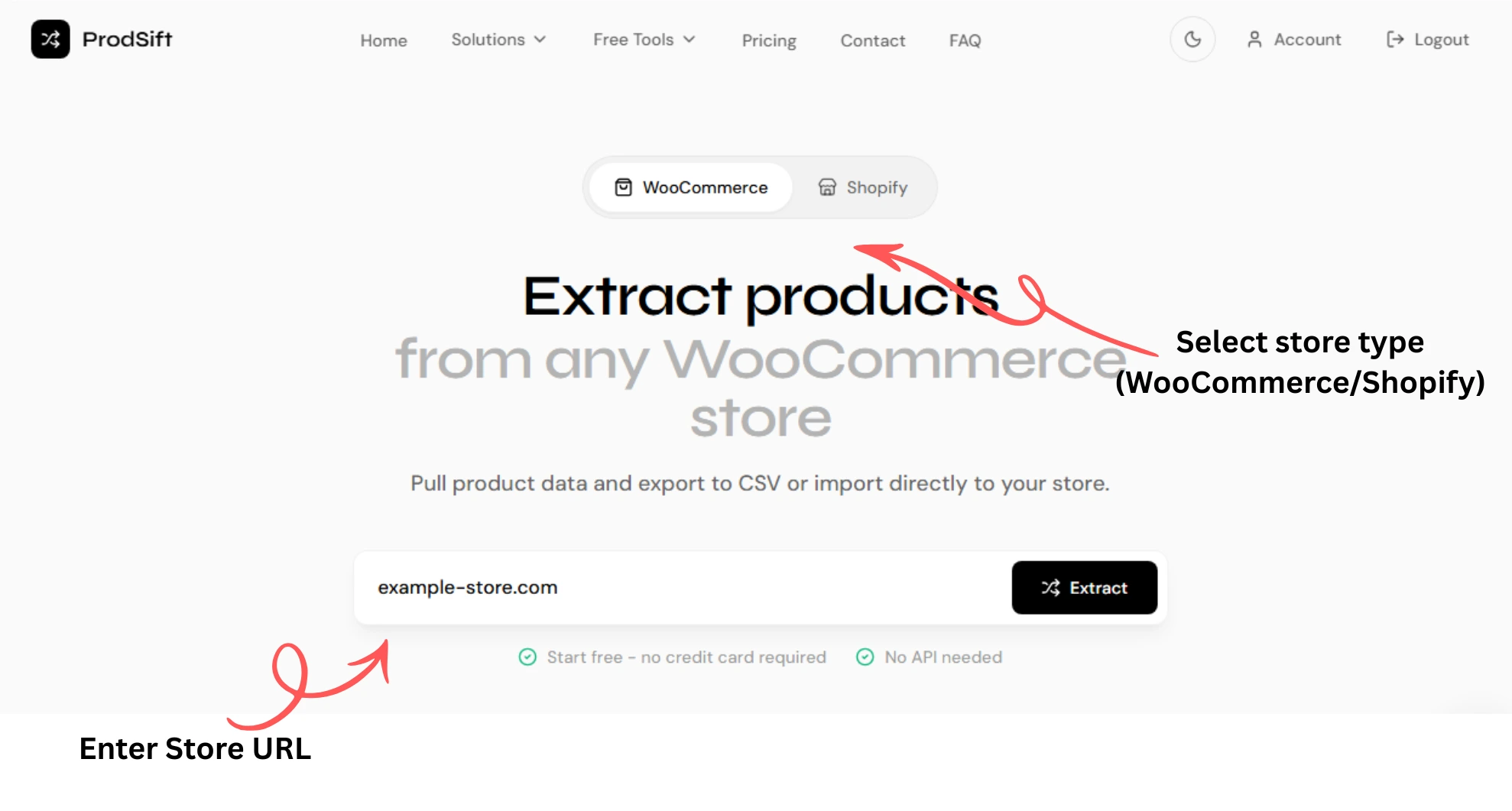
Step 1: Enter Store URL
Input the public URL of the WooCommerce or Shopify store you want to extract products from.
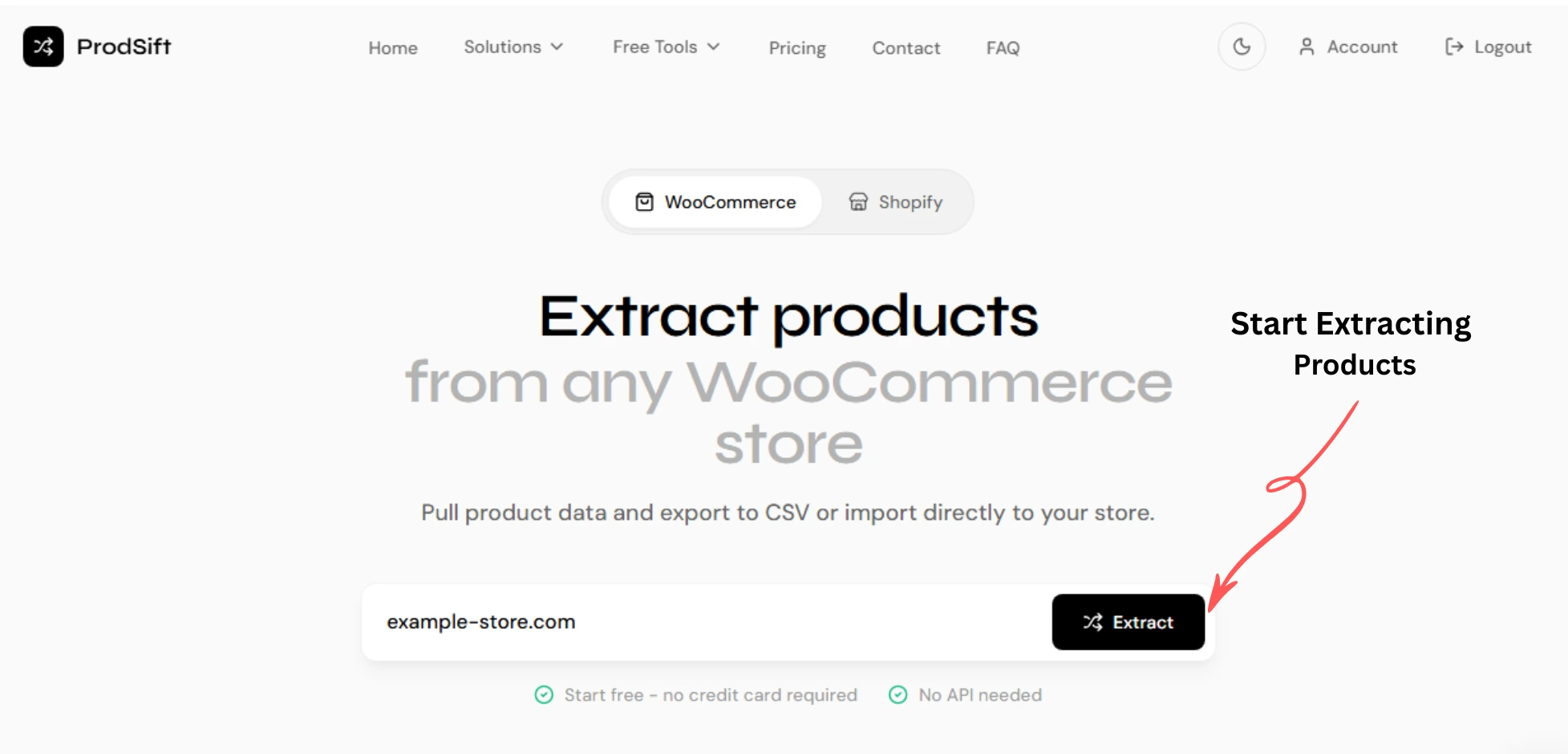
Step 2: Start Extracting Products
Click the 'Start Extracting' button to begin extracting the product data from the target WooCommerce or Shopify store.
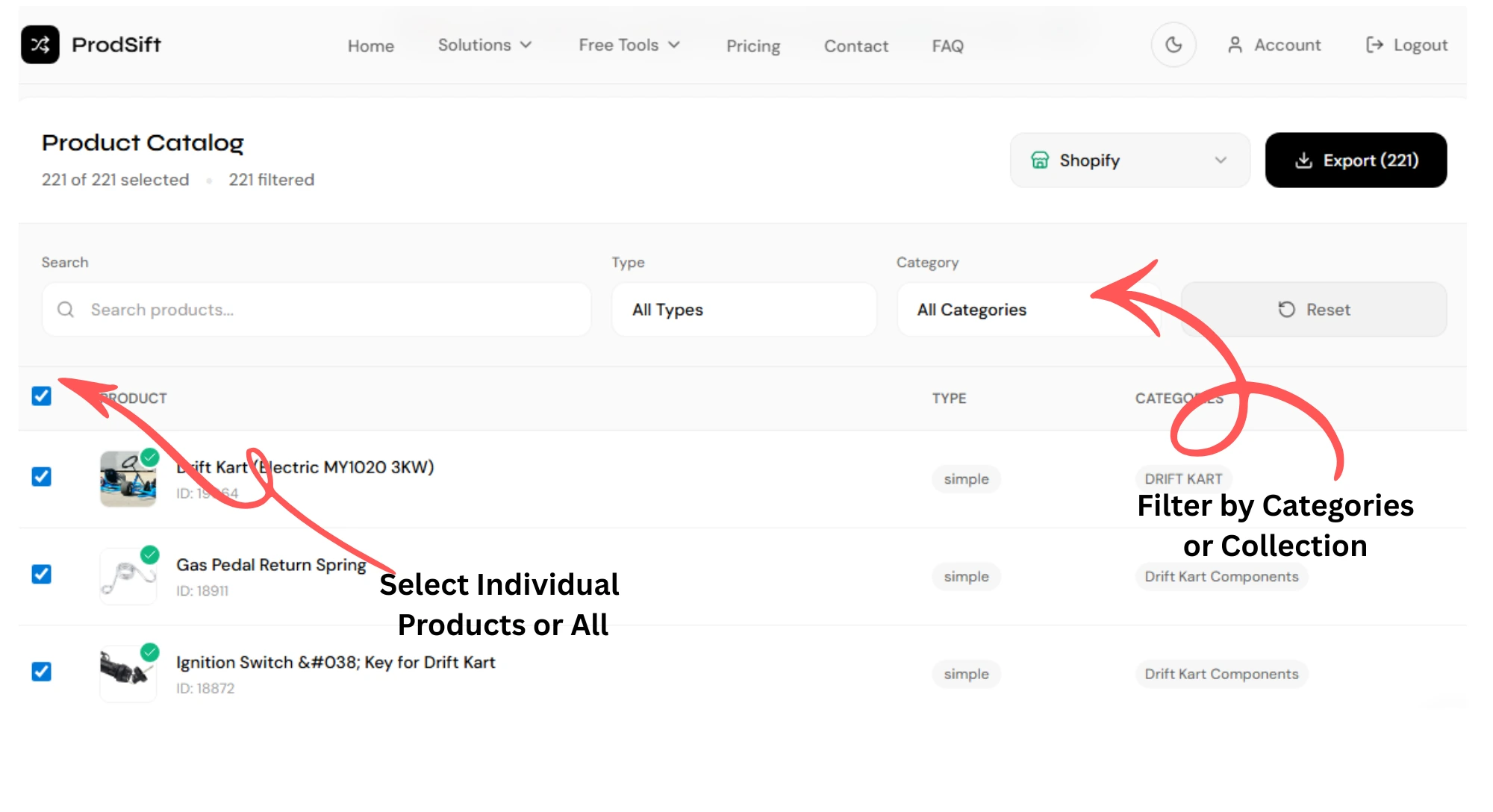
Step 3: Select Products to Export
Select the products you want to include in your CSV export. You can choose specific products or export the entire catalog.
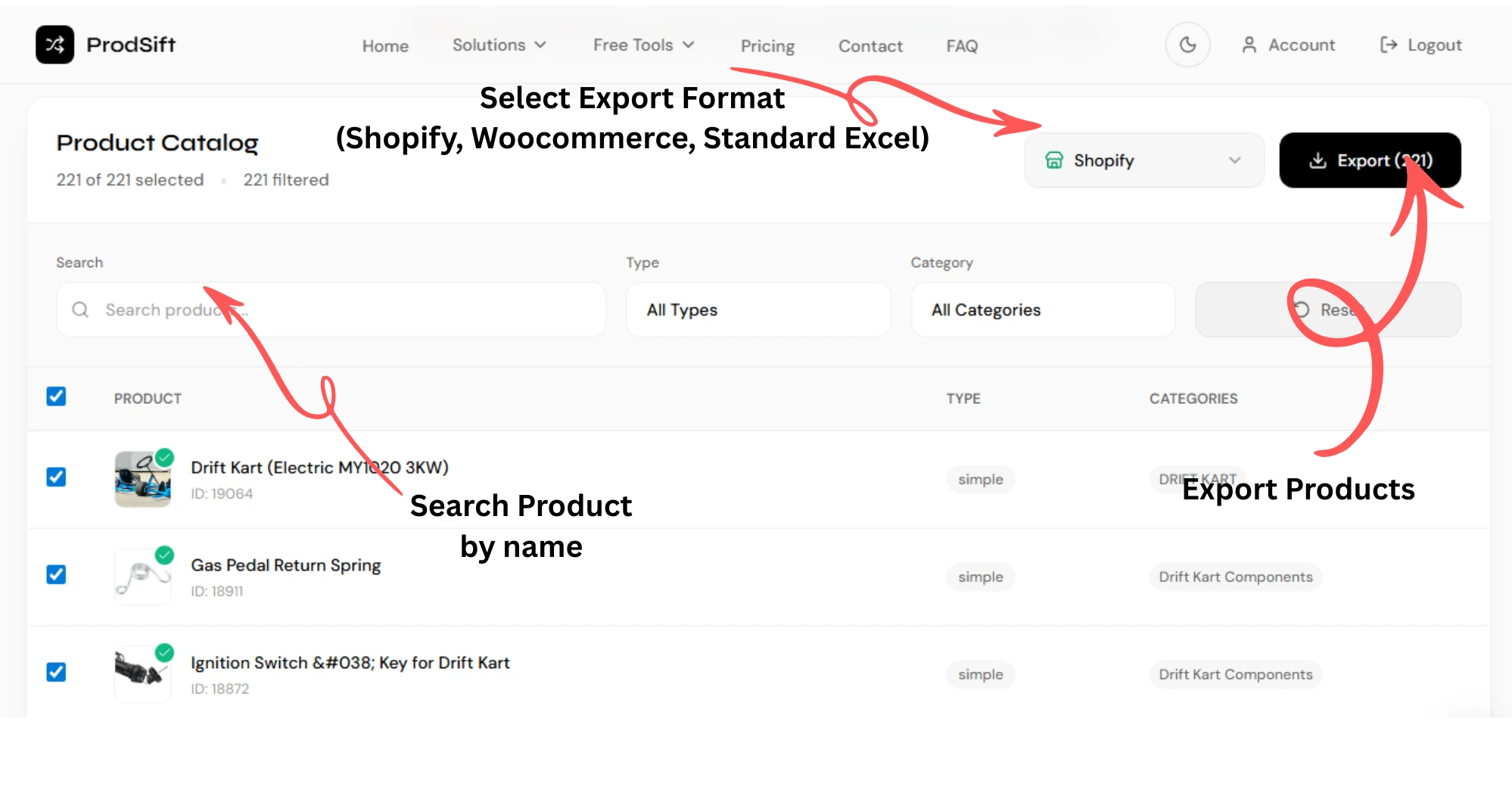
Step 4: Select CSV Format & Download
Choose the desired CSV format (WooCommerce or Shopify) and download your formatted product data, ready for import into your store.
Frequently Asked Questions
Quick answers to common questions about the extraction process.
Ready to Start
Start Extracting Today
Join thousands of users who have successfully migrated their store data with our tool.
Try It Now