WooCommerce Scraper — Save Hours Every Day
Export WooCommerce products to CSV in one click using our WooCommerce Scraper. Get titles, prices, variations, images, and SKUs — fully formatted and ready to import in seconds.
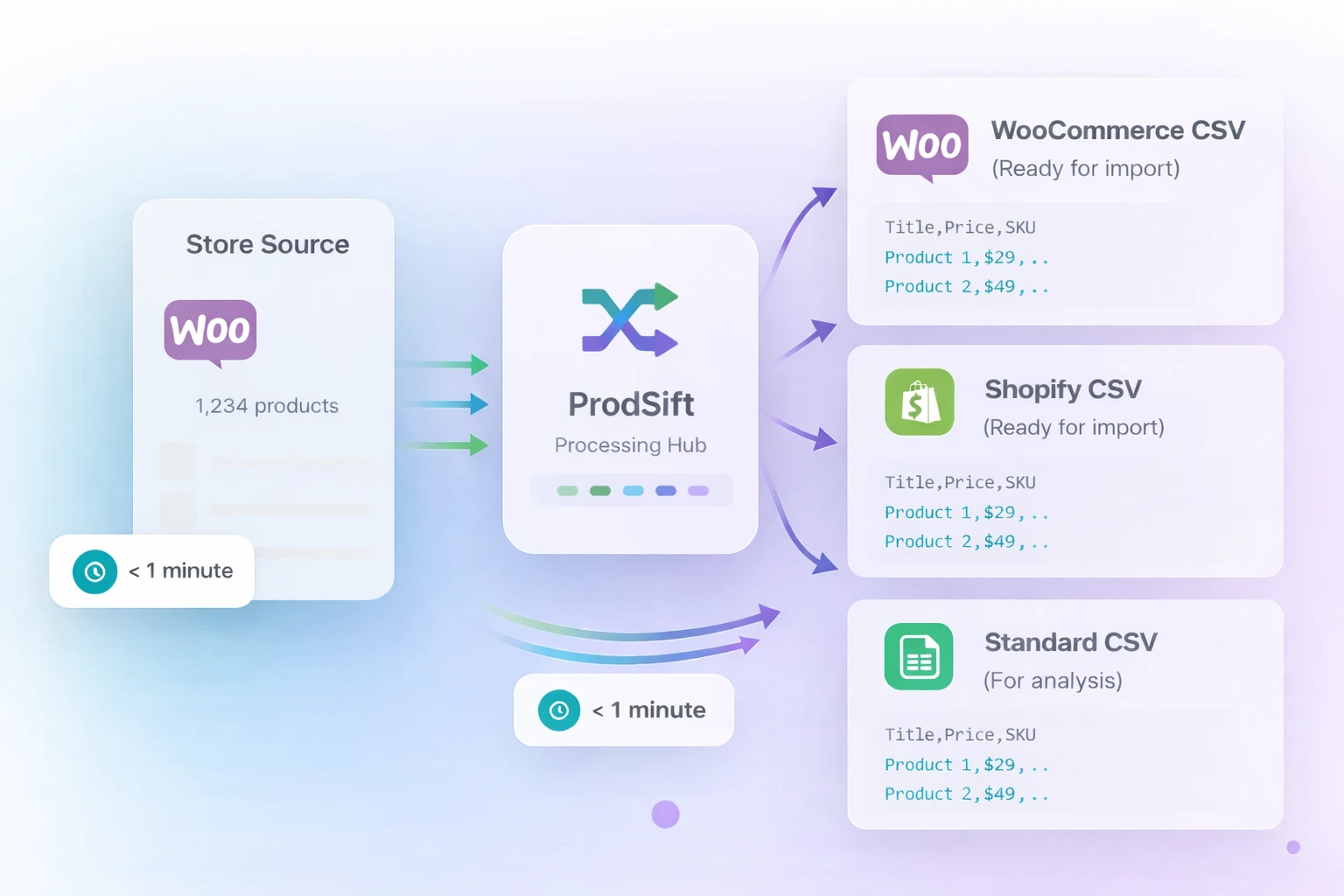
Save hours daily
Export in 42 seconds
Trusted by stores powered by
Everything You Need to Scrape Products
Unlock the full power of WooCommerce Scraper with these smart, time-saving features.
One-Click Magic
Export your entire product catalog to CSV in a single click.
WooCommerce + Shopify
Seamlessly export products for both WooCommerce and Shopify.
Export by Category
Quickly scrape and export products from selected categories.
Custom Product Selection
Choose exactly the products you want to export.
Smart Product Search
Find and export targeted products instantly with powerful search.
Scrape. Download. Import.
Three steps. Done.
Paste the store URL
Any WooCommerce or Shopify store URL works.
Click Extract
ProdSift scrapes the catalog in seconds.
Download your CSV
Import-ready file lands in your downloads folder.
See WooCommerce Scraper in action
Watch the 2-minute walkthrough and see exactly how fast it works.
This is what your CSV export looks like
Every row is a product. Every column maps directly to WooCommerce or Shopify's import format.
| Product Name | Type | Price | Sale Price | SKU | Stock | Category |
|---|---|---|---|---|---|---|
| Merino Wool Crewneck | Variable | $89.00 | $69.00 | MW-001 | In Stock | Clothing |
| Stainless Water Bottle | Simple | $34.99 | — | WB-114 | In Stock | Accessories |
| Foam Roller Pro | Variable | $54.00 | $44.00 | FR-209 | Fitness | |
| Linen Throw Pillow | Variable | $49.99 | — | LTP-033 | In Stock | Home |
| Leather Card Holder | Simple | $29.00 | $22.00 | LCH-078 | In Stock | Accessories |
Every product field.
Nothing left behind.
ProdSift captures every data field WooCommerce stores publish — so your exported catalog is complete and import-ready from the first download.
Start extracting freeThe WooCommerce scraping tool built for
ecommerce professionals.
Built for WooCommerce developers
Populate stores with products fast during development, testing, and client projects.
Built for dropshippers
Find products, analyze competitors, and build product catalogs faster.
Built for ecommerce agencies
Migrate stores, manage client catalogs, and speed up ecommerce workflows.
Built for product researchers
Track competitor pricing, categories, and product trends across WooCommerce stores.
Built for ecommerce teams
Export and organize large product catalogs without manual copy-pasting.
Built for store owners
Quickly import products and scale your WooCommerce or Shopify store operations.
Why ProdSift beats every other
WooCommerce scraper
ProdSift
Recommended
Others
Limited Features
WooCommerce-native CSV export
Shopify format export
Variations, images & SKUs included
No API key or developer setup
Free first extraction
Want to spot WooCommerce stores without leaving your browser?
Get the extensionGot questions?
We've got answers.
ProdSift is a WooCommerce scraper that extracts a store's full product catalog — every title, price, image, and variation — and exports it as a clean, import-ready CSV, Excel, or Shopify file in under a minute. No copy-pasting, no API key.
Yes. ProdSift works on any publicly accessible WooCommerce store, regardless of hosting, theme, or catalog size. If products are visible to shoppers, ProdSift can extract them.
Yes. After entering the store URL, ProdSift maps all available categories. Select a specific category to extract only those products — useful when you need a subset of a large catalog.
Yes. ProdSift exports in the exact CSV format WooCommerce's native import tool expects. Go to WooCommerce Admin → Products → Import and upload the file directly. No column remapping required.
Stores with under 500 products typically complete in under 60 seconds. Larger catalogs of 1,000–5,000 products usually finish in 2–5 minutes, depending on the store's server response speed.
No. ProdSift runs entirely on prodsift.com — paste a store URL and export the catalog right in your browser, with no extension or API key required. We do offer an optional Chrome extension that detects WooCommerce and Shopify stores as you browse and sends them to ProdSift for extraction, but it's a convenience, not a requirement.
Your first 5 products are always free — no credit card required. Upgrade to extract full catalogs of any size.
Yes. ProdSift exports in both WooCommerce-native and Shopify-ready formats. One click switches between them, making platform migrations seamless.
Still have questions about WooCommerce scraping?
Contact our teamReady to save hours every day?
Try the best WooCommerce scraper free.
No API key. No credit card required. Start scraping in seconds.
First 5 products free · No credit card required